Booksero app — your salon on your client's phone
The app that promotes only your salon, not your competitors'.
Your client downloads the app from the store, enters your salon's keyword or scans the QR code — and from then on books, cancels, collects points and gets notifications. Under your logo and in your colour.


Why it pays off — for the salon
Your client base stays yours.
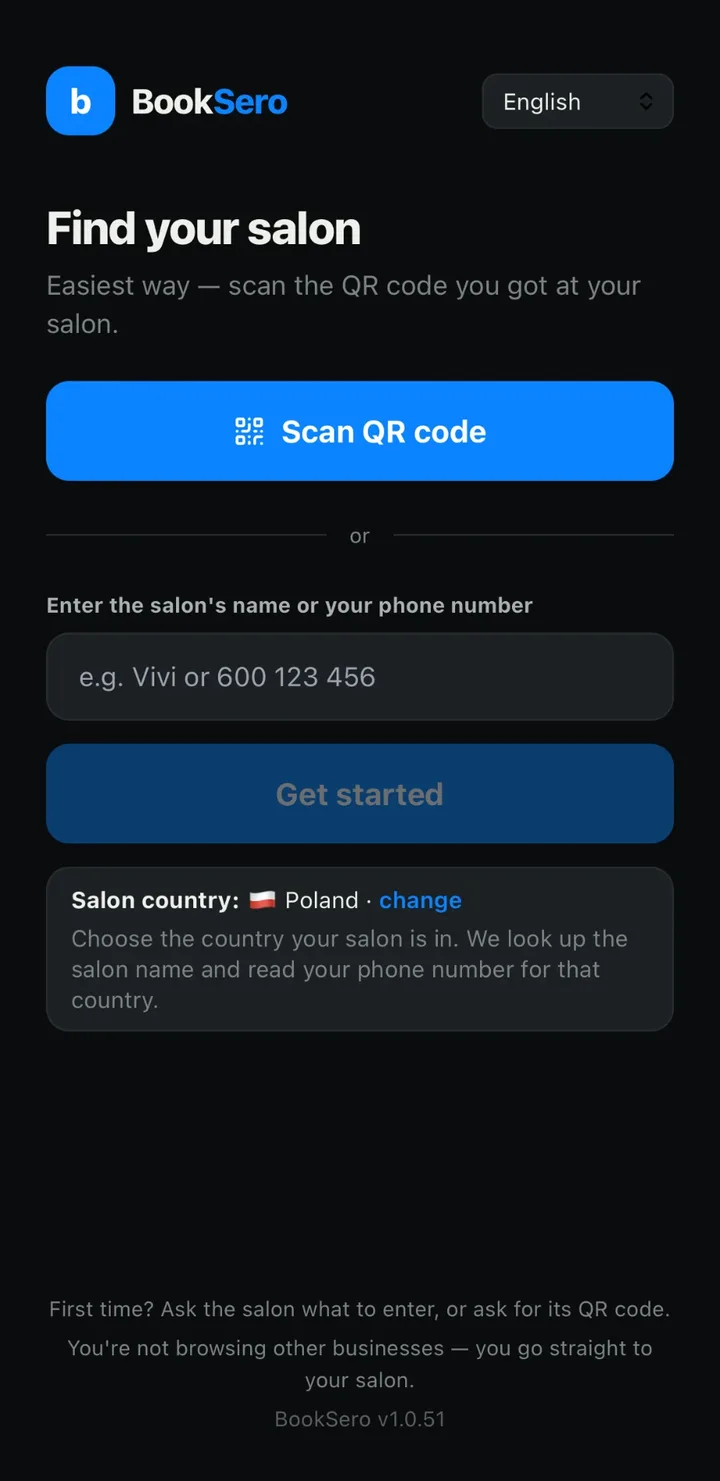
The app has no directory and no salon search. Your client comes to you from you — via QR code, keyword or link — and sees only your locations. Nobody can show her next to a competitor.
Fewer SMS to pay for.
Confirmations, reminders, schedule changes and review requests go by push, for free. If a push does not arrive, an SMS goes out automatically. In the panel you see how many SMS you saved in the last 30 days.
The calendar fills itself.
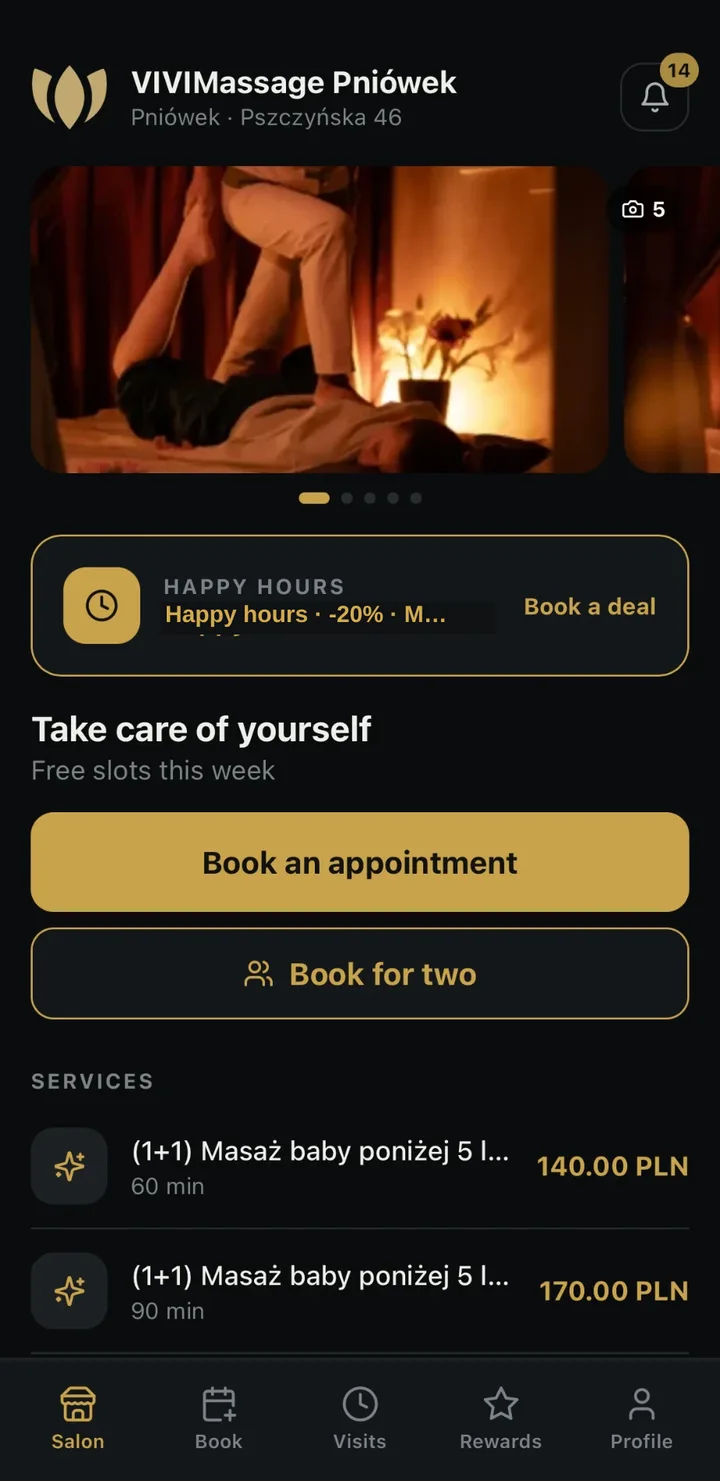
Time-limited discounts (happy hours) show your client cheaper slots in dead hours — without any mailing. Discount codes with an expiry date prompt a booking now, not "someday".
New clients almost for free.
Your client refers the salon to a friend by SMS from the app. You grant the reward only after the referred friend COMPLETES her first visit — you pay for results, not clicks.
Returns and loyalty.
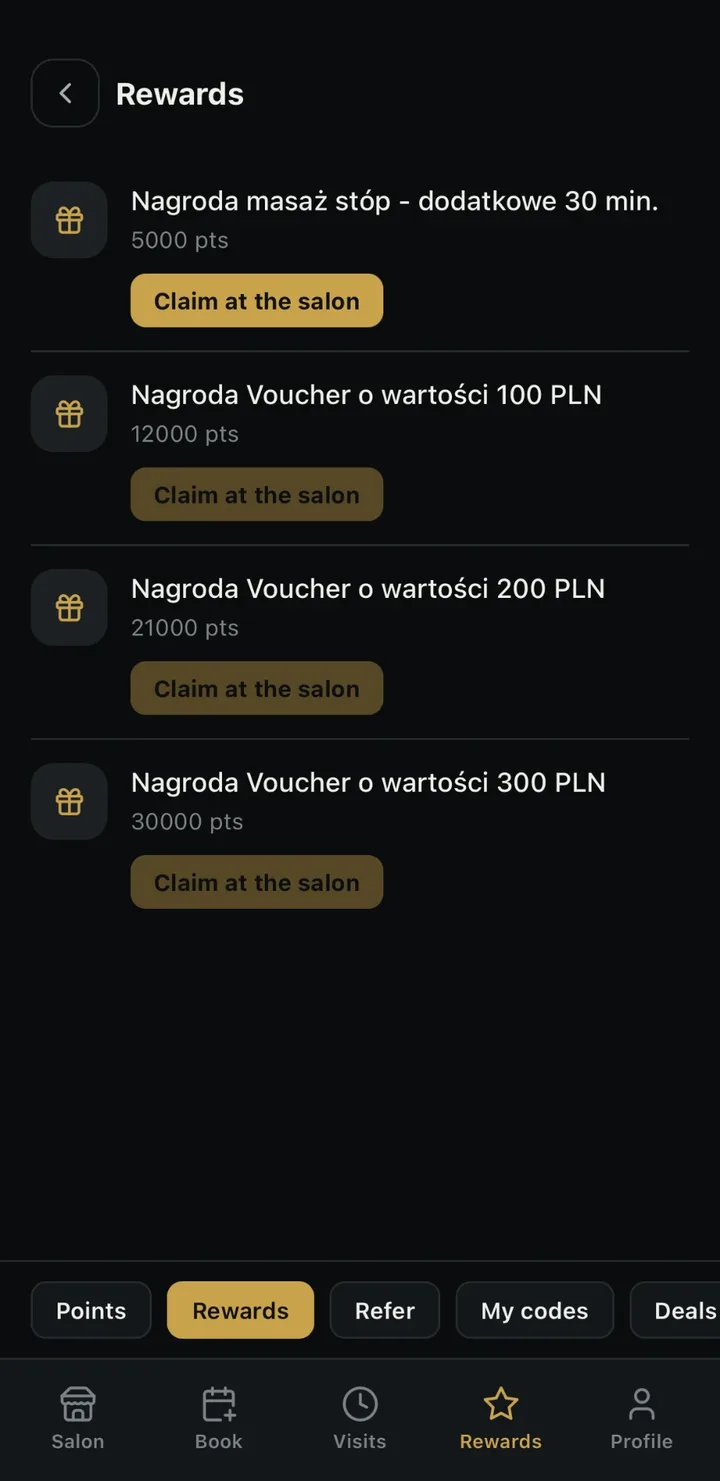
Points for visits, tiers that never drop, a catalogue of rewards collected at the salon. All under your control from the panel.
Fewer calls to reception.
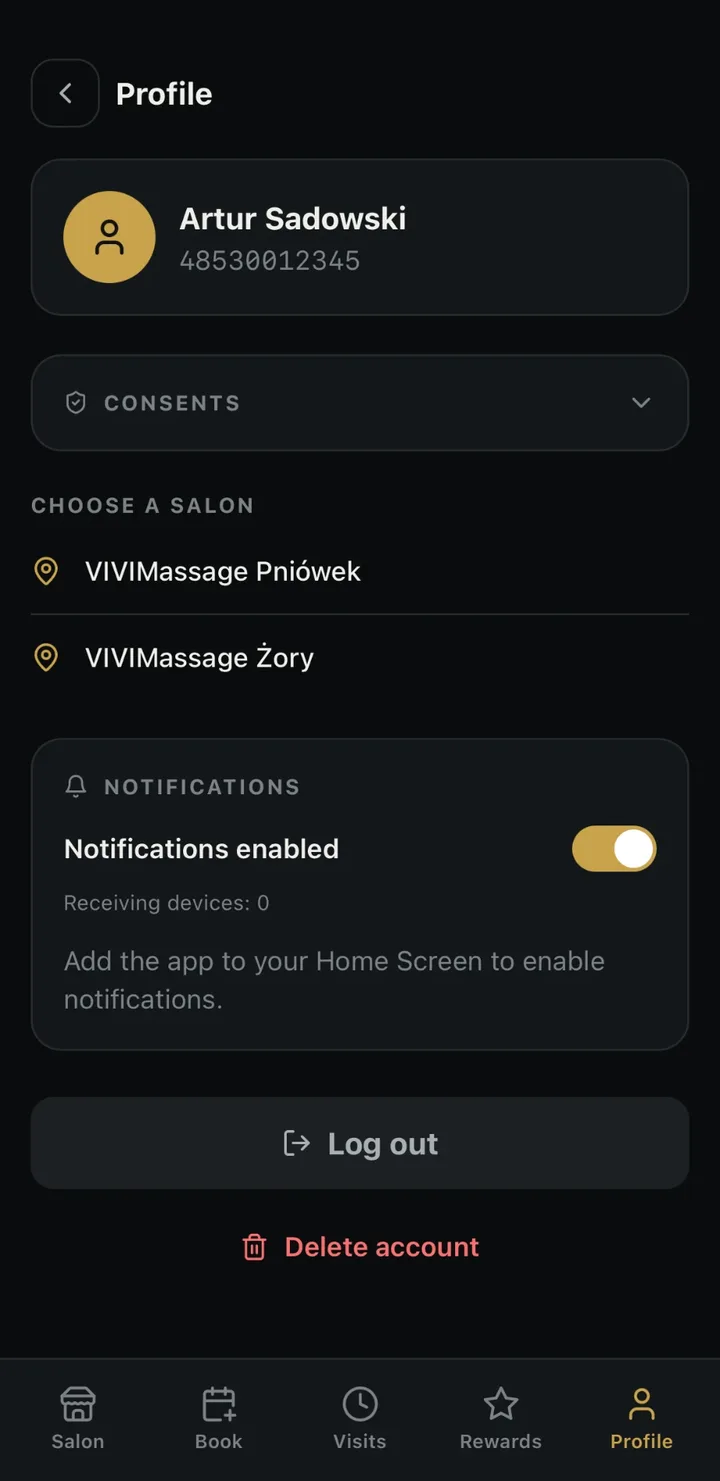
Your client cancels a visit herself (under your cancellation rules), manages her GDPR consents herself, checks her visit history and points balance herself.
What your client has in the app
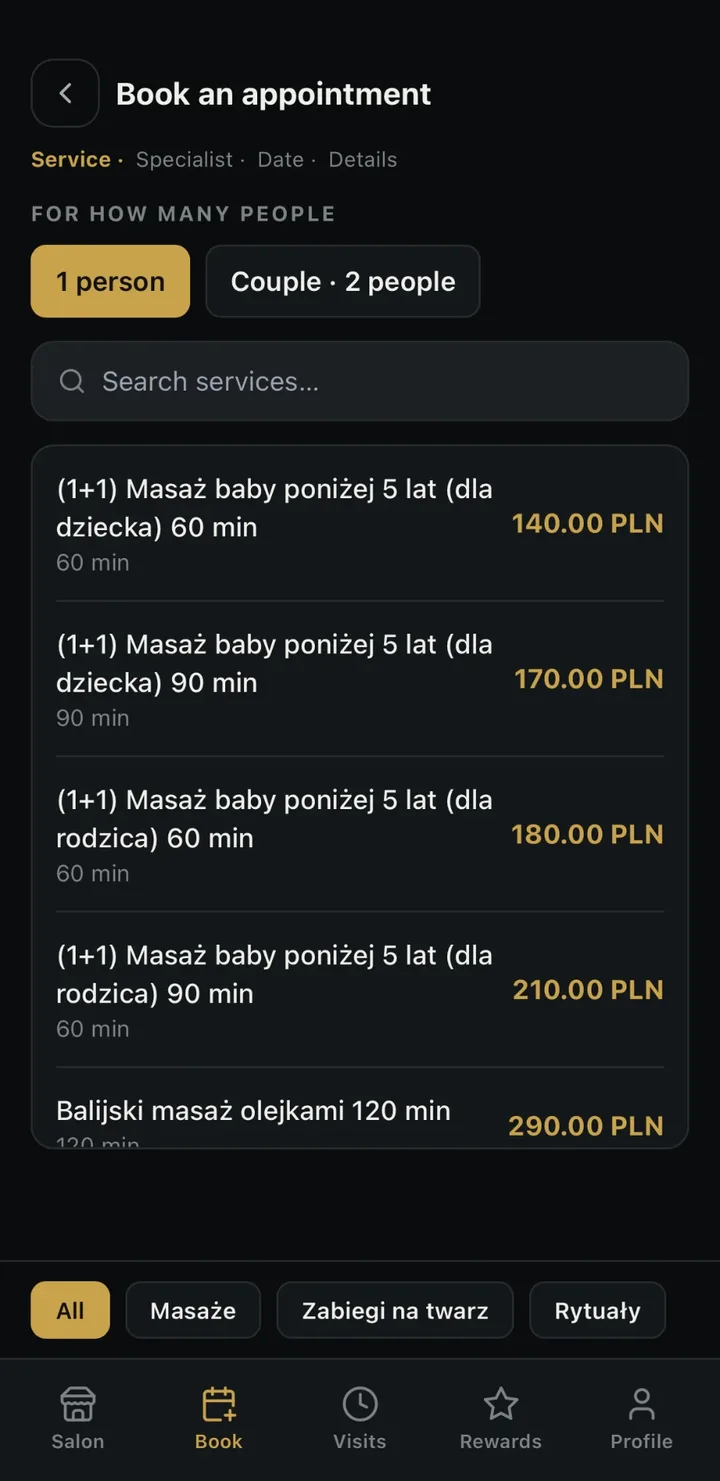
- Booking in a few taps — service, specialist, time; free slots 14 days ahead, live from the salon's calendar.
- Booking for two — two people, two specialists, the same time, one booking.
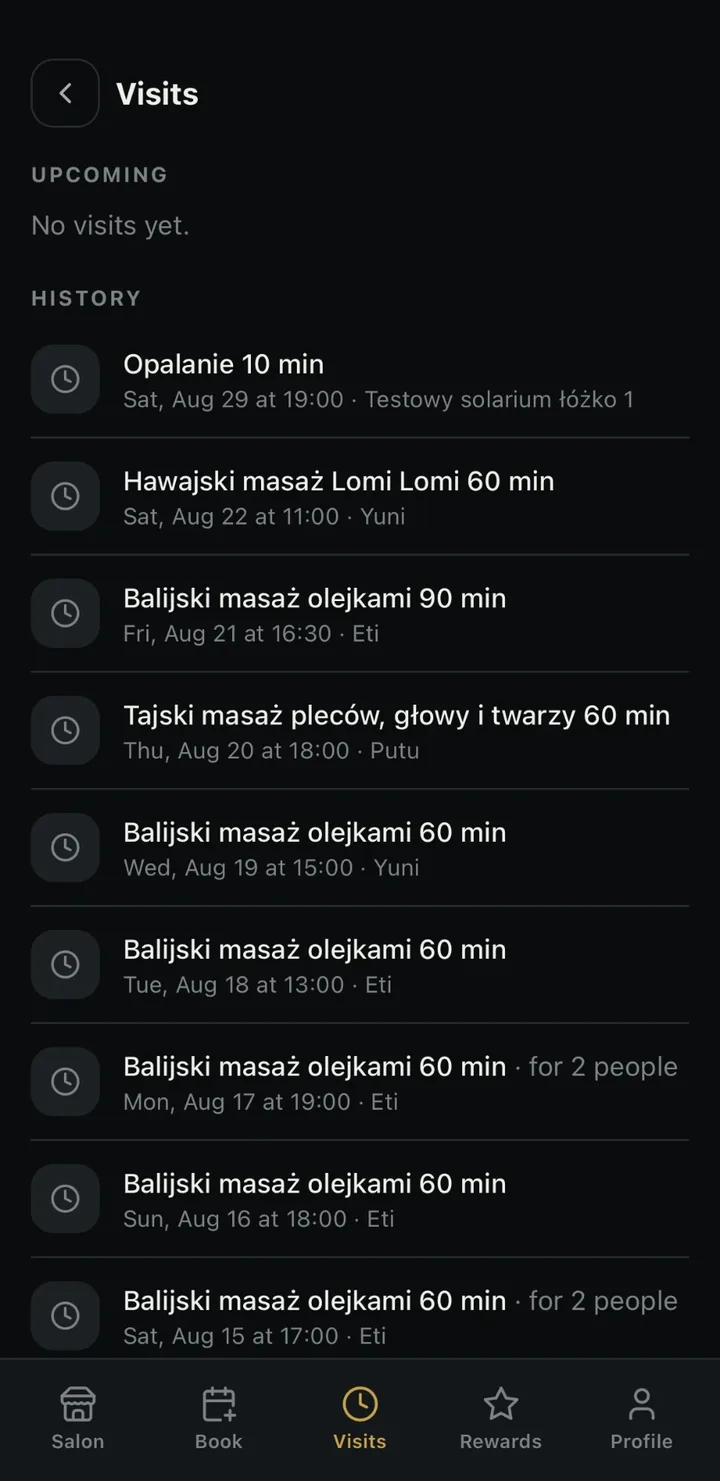
- Visits at hand — upcoming and history; cancellation with one button when the salon allows it.
- Points and tiers — balance, progress bar to the next tier, rewards to collect at the salon.
- Referring friends — a friend's number, an SMS with a link, referral statuses in the app.
- Happy hours — cheaper slots visible right when booking.
- Notifications — confirmations and reminders on the phone, without SMS.
- Consents and account under control — GDPR consents given and withdrawn independently; account deletion in the app with one button.
How your client gets to your salon
Downloads the app
App Store, Google Play or the browser.
Enters the salon
Scans your QR code, enters the salon keyword ("type in the app: Vivi") or her own phone number if she has visited you before.
Logs in with her number
One SMS code, no password and no registration. The code fills itself in.
Comes back with one tap
Your salon stays on her start screen.
You decide which ways clients enter — QR code, keyword, phone number, an SMS link after the first booking. You switch each one on and off in the panel, separately for every location.
Under your brand
Your client opens the app and sees your salon: your logo, your name and your accent colour on a dark background. You set it once in the panel, separately for each location.
- Your salon's logo, name and accent colour — separately for each location.
- Gallery, team and price list pulled from the panel, no extra work.
- 16 interface languages, detected from the client's phone.
- A network of several locations: one client account, shared points, one network link with a choice of city and salon.
What you see in the panel
How many clients use the app (today, 7 days, 30 days), how many installed it, how many bookings came from the app, how many referrals were sent, how many SMS you saved. An entry counter broken down by entry route — you know at once whether leaflets with a QR code work. A list of recently active clients.
Security and GDPR
Login only by SMS code, no passwords to leak. A client sees only her own data and her own salons. Blocking a client in the panel also blocks her in the app. The client gives and withdraws GDPR consents herself, and you see the change immediately on her card.
Frequently asked questions
Is the app in the App Store and on Google Play?
Yes, since September 2026. In the store type "Booksero" (blue "b" icon). The same app also works in the browser at app.booksero.com — the same account, the same points.
Will a client find my salon in the app by name?
No — and that is deliberate. The app has no salon directory, so nobody can list businesses or show your client a competitor. The client enters via QR code, salon keyword, link or her own phone number.
What is the salon keyword?
A word that reception tells the client, e.g. "type in the app: Vivi". You set up to five keywords per location; a keyword is unique across all of booksero.
Do I have to install or configure anything?
No. The app pulls the logo, colour, price list, team and opening hours from your panel. You switch on only what you want to show the client: loyalty programme, referrals, happy hours, code notebook.
How much does it cost?
The client downloads the app for free. The app is included in every booksero plan as standard. On the salon side, the only cost is the SMS you choose to send yourself (e.g. an app link after the first booking) — from the same pool as reminders. Push notifications are free and replace SMS. Plan terms — see the price list.
Can a client pay in the app?
No. The app informs about a required prepayment, and the payment is made via a booksero payment link outside the app.
Can a client reschedule a visit in the app?
She cancels and books a new one — under your online cancellation rules (you can set a limit of hours before the visit or disable cancellation).
What happens when a client deletes her account in the app?
She loses access to the app on that number. Her record, visits and points stay in the salon — you are their controller. She can log in again with the same number.
Can I switch the app off for one location?
Yes, with one toggle. The booking page and online booking keep working.
Give your clients the app today
Try bookseroAlready using booksero? In the panel go to Client app → Invite clients and download the QR code.